

Description
Download MeD’s Movie Manager – Free, Secure, Multi‑Platform Catalog Tool
Overview
MeD’s Movie Manager is a free (GPL‑licensed) movie catalog application designed for film enthusiasts who want a clean, organized way to keep track of their collections. First released in the early 2000s and still actively maintained, the current version 2.5.3.3 (updated on 5 April 2007) runs on Mac OS X, Windows, and several older operating systems, making it a truly multiplatform solution. The program integrates directly with the Internet Movie Database (IMDB), allowing users to import metadata such as titles, directors, cast, release year, and cover art with just a few clicks. Its lightweight footprint means it consumes far less disk space than typical productivity catalogers, which is ideal for users with limited storage or those who prefer a minimal‑install approach.
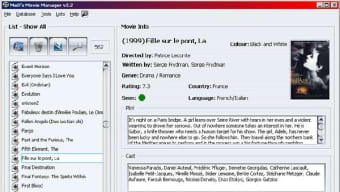
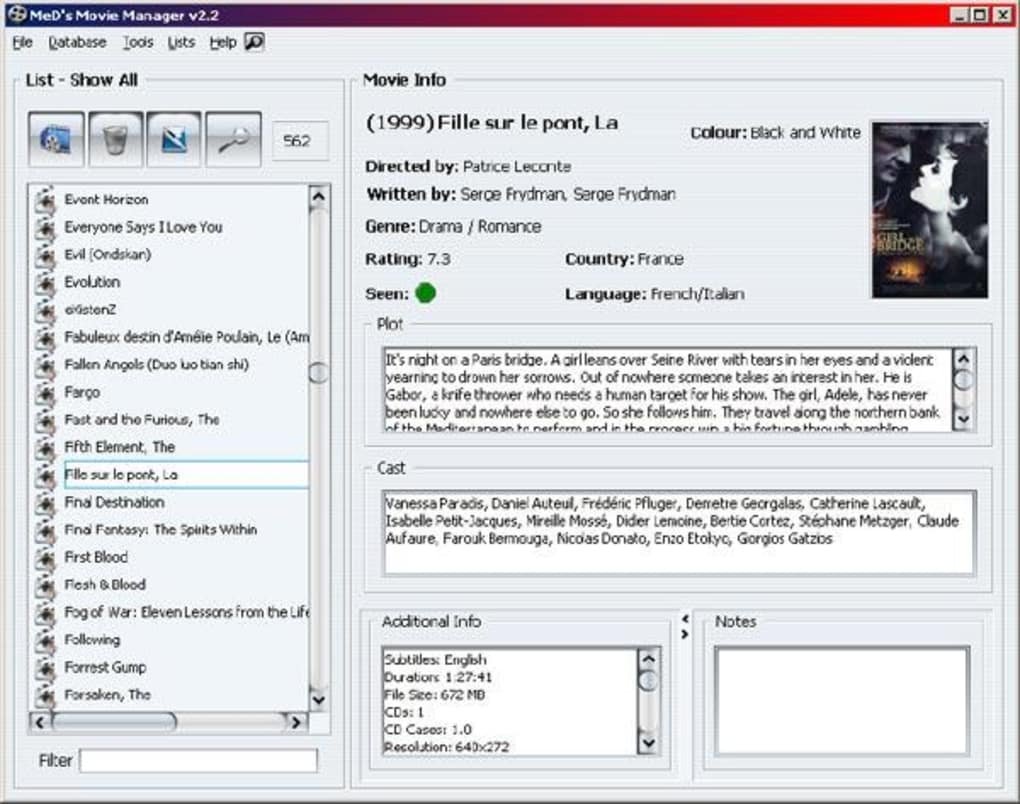
The interface follows a straightforward, table‑based layout that balances simplicity with powerful filtering options. Users can sort movies by genre, year, rating, or personal tags, and the built‑in search function instantly pulls up matching entries. Because it’s open source, the community contributes plugins and language packs, extending functionality beyond the core feature set. Whether you’re a casual viewer maintaining a DVD library, a collector of Blu‑Ray editions, or a digital media manager organizing MP4 files, MeD’s Movie Manager offers a flexible, secure, and cost‑free way to stay organized.
Key Features of MeD’s Movie Manager
- IMDB Integration: Automatic lookup and import of movie details, posters, and ratings directly from the IMDB database.
- Cross‑Platform Support: Native binaries for Mac OS X and Windows, plus compatibility layers for older UNIX‑like systems.
- Custom Tagging & Filtering: Users can assign personal tags, create custom categories, and filter the library with advanced criteria.
- Export & Import Options: Export your collection to CSV, XML, or plain‑text formats; import existing lists for quick migration.
- Lightweight Design: Requires less than 15 MB of disk space and minimal RAM, keeping your system responsive.
- Multi‑Language Support: English interface with community‑contributed translations for several languages.
- Secure Updates: Signed update packages ensure that you always receive authentic, tamper‑free versions.
- Backup & Restore: Built‑in tools let you back up the entire catalog and restore it on a new machine with a single click.
- Extensible Plugin Architecture: Developers can add new features, such as streaming service integration or custom report generators.
- Printable Reports: Generate printable summaries of your collection, including statistics on genres, years, and ratings.
Beyond the listed features, MeD’s Movie Manager shines because of its emphasis on user privacy. No telemetry or hidden data collection is embedded in the code, and because it is open source, you can audit the source yourself. The application also respects your folder structure; it does not move or rename your media files unless you explicitly instruct it to do so, preserving the integrity of existing library setups.
For power users, the command‑line interface (CLI) offers batch operations, such as bulk importing of movie lists or mass editing of metadata. This makes it possible to integrate the manager into automated workflows, for example, syncing a home media server’s library after each new addition.
Installation, Usage Instructions, and Compatibility
System Requirements
MeD’s Movie Manager runs on the following operating systems:
- macOS 10.4 (Tiger) and later – 64‑bit support recommended.
- Windows XP, Vista, 7, 8, and 10 – both 32‑bit and 64‑bit editions.
- Legacy UNIX‑like systems (e.g., Linux distributions with GTK+ 2 libraries) – community‑maintained ports.
The program requires at least 100 MB of free disk space for the application files and an additional 50 MB for the internal database. A stable internet connection is needed for IMDB lookups and automatic updates.
Step‑by‑Step Installation
- Download the Installer: Click the “Download” button below to obtain the appropriate installer for your OS (DMG for macOS, EXE for Windows).
- Verify the Package: Use the provided SHA‑256 checksum to confirm the integrity of the download. This ensures a secure, untampered install.
- Run the Installer: On macOS, open the DMG and drag the app to your Applications folder. On Windows, double‑click the EXE and follow the wizard prompts.
- First Launch: After installation, start MeD’s Movie Manager. The application will prompt you to create a new library or import an existing one.
- Configure IMDB Access: Enter your API key (optional but recommended for higher request limits) in the Preferences → Online Services tab.
- Import Your Collection: Use the “Add Movies” button to drag‑and‑drop files or type titles manually. The program will fetch metadata automatically.
Basic Usage Tips
Once your library is populated, you can explore the following workflows:
- Search & Filter: Use the top‑right search bar to locate movies by title, actor, or tag. Apply filters from the sidebar to narrow results by genre or rating.
- Editing Entries: Double‑click any row to edit fields manually. You can also override IMDB data if you have more accurate local information.
- Generating Reports: Navigate to File → Export → Report to create PDF or CSV summaries of your collection.
- Backup & Restore: Regularly use File → Backup to save a snapshot of your database. Restore via File → Restore on a new device.
Because the application is lightweight, you’ll notice near‑instant response times even with libraries containing thousands of titles. The UI remains responsive on older hardware, making it a solid choice for users who still run legacy machines.
Pros, Cons, and Frequently Asked Questions
Pros
- Completely free and open‑source – no hidden fees or ads.
- Robust IMDB integration for automatic metadata retrieval.
- Cross‑platform support for macOS and Windows.
- Low system resource usage, ideal for older computers.
- Extensible via plugins and command‑line tools.
- Secure update mechanism with signed packages.
- Comprehensive backup and restore functionality.
Cons
- Interface looks dated compared with modern commercial catalogers.
- No native mobile app; management is desktop‑only.
- Automatic IMDB lookups require an internet connection.
- Limited support for streaming service metadata (e.g., Netflix).
- Documentation is community‑maintained and may be sparse for advanced features.
FAQ – Answers to Common Queries
Can I use MeD’s Movie Manager on Linux?
Yes. While the official binaries are provided for macOS and Windows, community ports exist for most Linux distributions. You can compile the source code from the official Git repository or use pre‑built packages available on popular distro repositories.
Is an internet connection required for basic cataloging?
No. You can manually enter movie information without online access. However, to take advantage of the IMDB auto‑fill feature, an internet connection is necessary.
How does the backup system work?
The backup function creates a compressed snapshot of the entire database (including custom tags and user edits) and stores it in a location you specify. Restoring simply replaces the current database with the selected backup file.
Can I import a list from another cataloging program?
Yes. MeD’s Movie Manager supports CSV and XML import formats. Export your data from the other program into one of these formats, then use the “Import” function to bring the movies into MeD’s database.
Is there a way to sync my library across multiple computers?
While the software does not include built‑in cloud sync, you can place the database file in a cloud‑synced folder (e.g., Dropbox or OneDrive). Just ensure that only one instance of the program accesses the file at a time to avoid conflicts.
Conclusion & Call to Action
MeD’s Movie Manager delivers a reliable, feature‑rich solution for anyone looking to catalog movies without paying a subscription fee. Its seamless IMDB integration, low resource footprint, and cross‑platform compatibility make it stand out among free cataloging tools. While the UI may feel a bit nostalgic and there’s no dedicated mobile companion, the core functionality is solid, secure, and fully customizable. If you value privacy, open‑source transparency, and the ability to extend the software through plugins or scripts, this application is an excellent fit.
Ready to bring order to your film collection? Download MeD’s Movie Manager now and start organizing your movies for free. Remember to back up your library regularly and explore the plugin community for added capabilities. Happy cataloging!
Pros: Free, IMDB integration, lightweight, cross‑platform.
Cons: Dated UI, no mobile app, limited streaming metadata.
Guides & Tutorials for MeD s Movie Manager
How to install MeD s Movie Manager
- Click the Preview / Download button above.
- Once redirected, accept the terms and click Install.
- Wait for the MeD s Movie Manager download to finish on your device.
How to use MeD s Movie Manager
This software is primarily used for its core features described above. Open the app after installation to explore its capabilities.
User Reviews for MeD s Movie Manager 0
No reviews found





.webp)